Mailwell 1.2
A calmer window, a new icon, and summaries you can act on.

Mailwell 1.2 is out today. Open it and you’ll see less. That’s the point.
I spent this release taking things away. Fewer lines. Fewer buttons. Fewer places to look. What’s left is your mail and what you do with it.
One window, two things
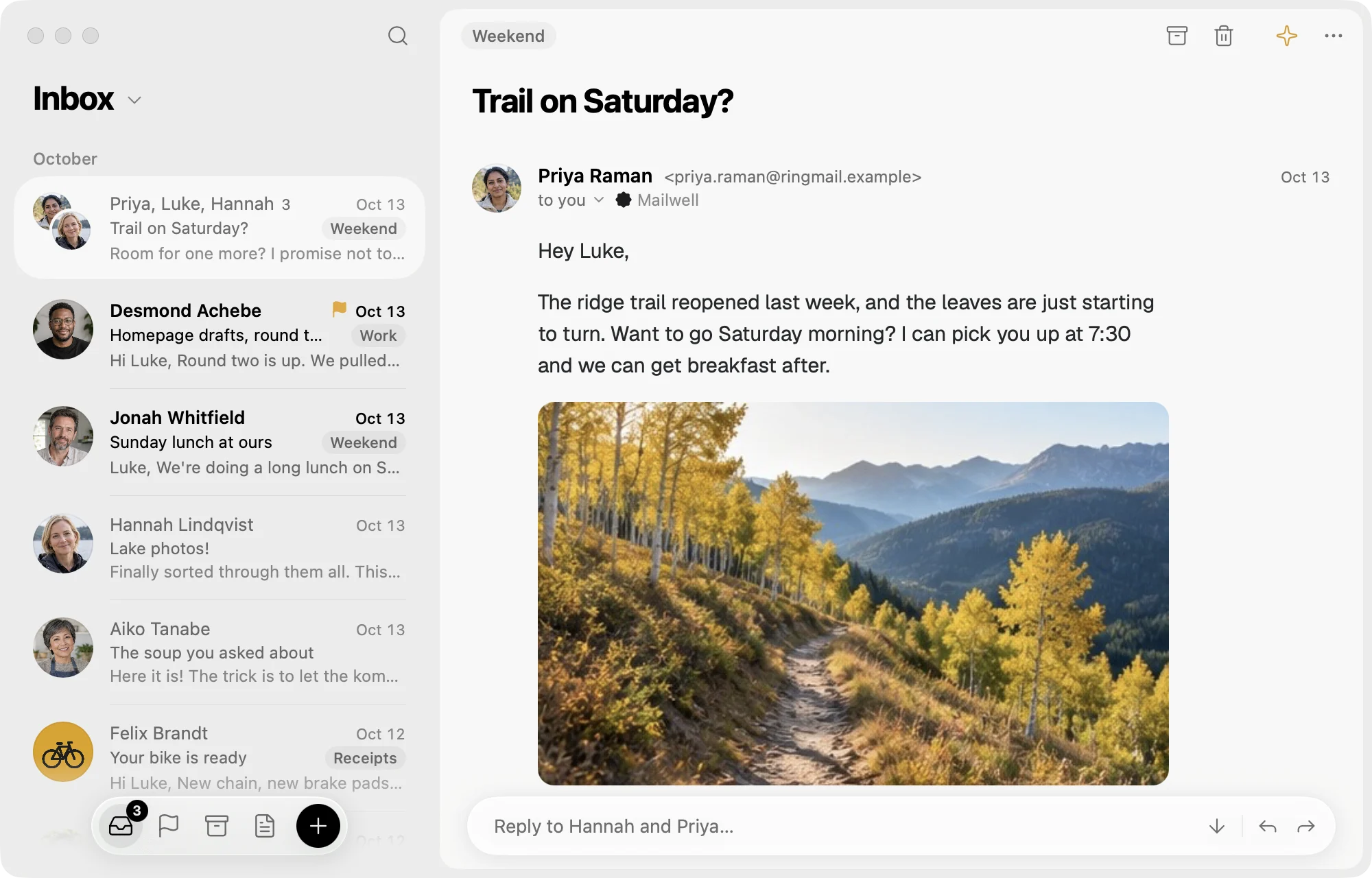
Your list is on the left. Your mail is on the right. Nothing else is on screen until you ask for it.
A small dock sits under the list. Inbox, Flagged, Archive, Drafts and a new message are one click away. The sidebar is still there for folders and labels. It stays out of the way until you want it. If you’re updating, yours stays where you left it.
Every conversation ends with a reply field. Click it and write. No window to open for a two line answer.
A new icon
Mailwell is a sealed letter now. A white envelope, closed with a blue wax seal.

The seal shows up across the app. Each profile gets one in its own color, so you can tell Work from Personal at a glance. Click the seal to move to your next profile.
Summaries you can act on
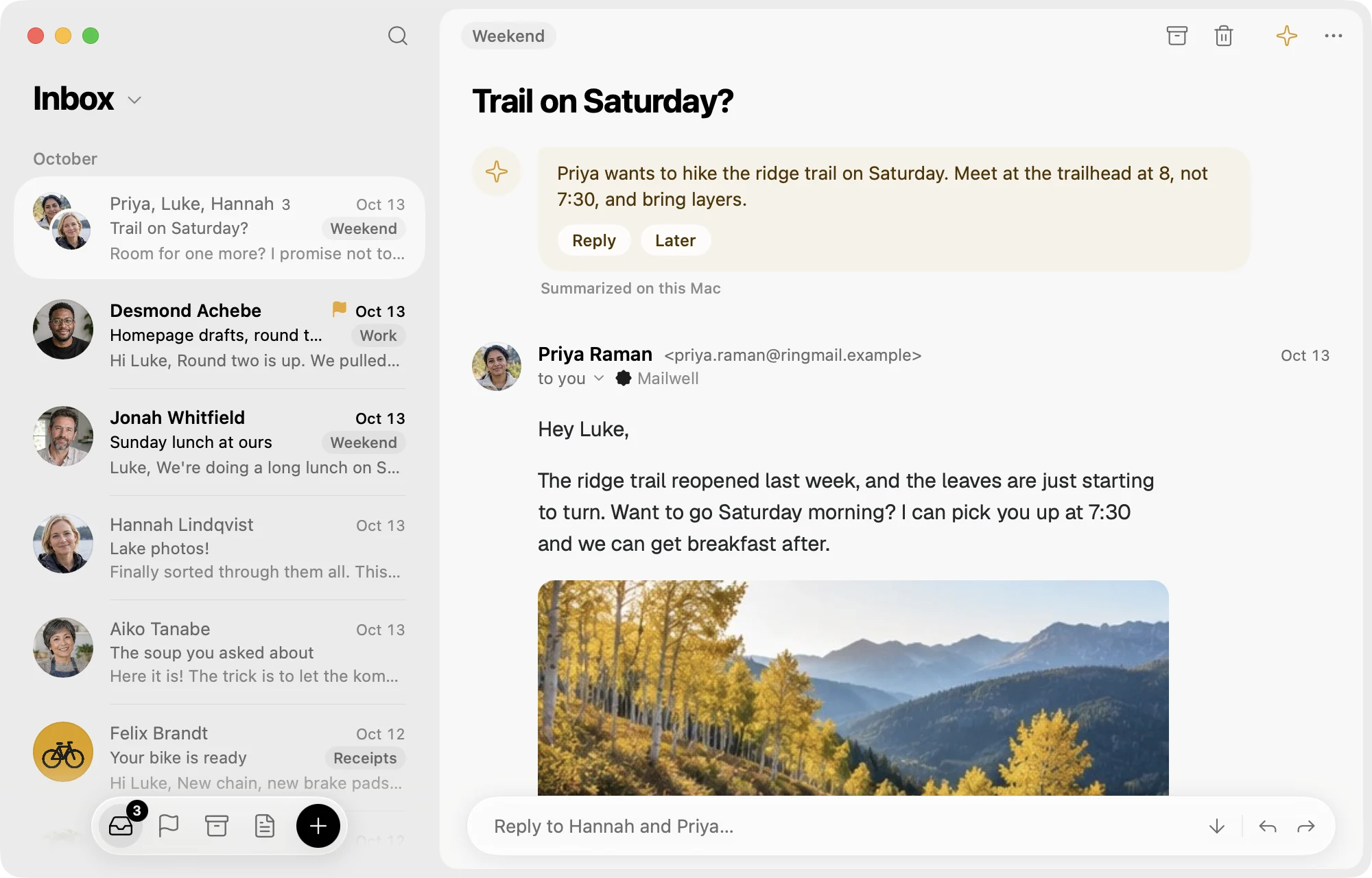
Ask for a summary and the short version sits at the top of the thread. Now it has two buttons. Reply, if you’re ready. Later, if you’re not.
AI is still off until you turn it on. When it runs on your Mac, the summary says so.
Search you can follow
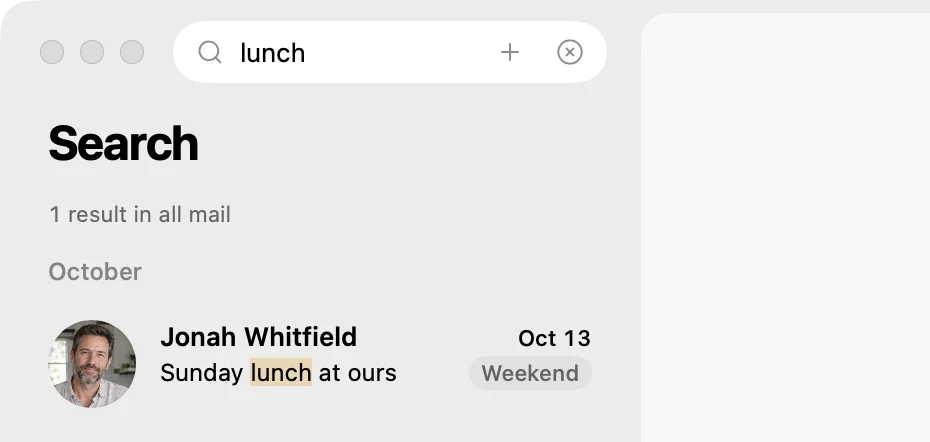
Search opens next to the window’s buttons. The list becomes your results. A result outside your inbox says which folder it’s in and keeps its labels. Archive a result and it stays in the list with an Archive mark, so you can see it moved.
Easier on the eyes at night
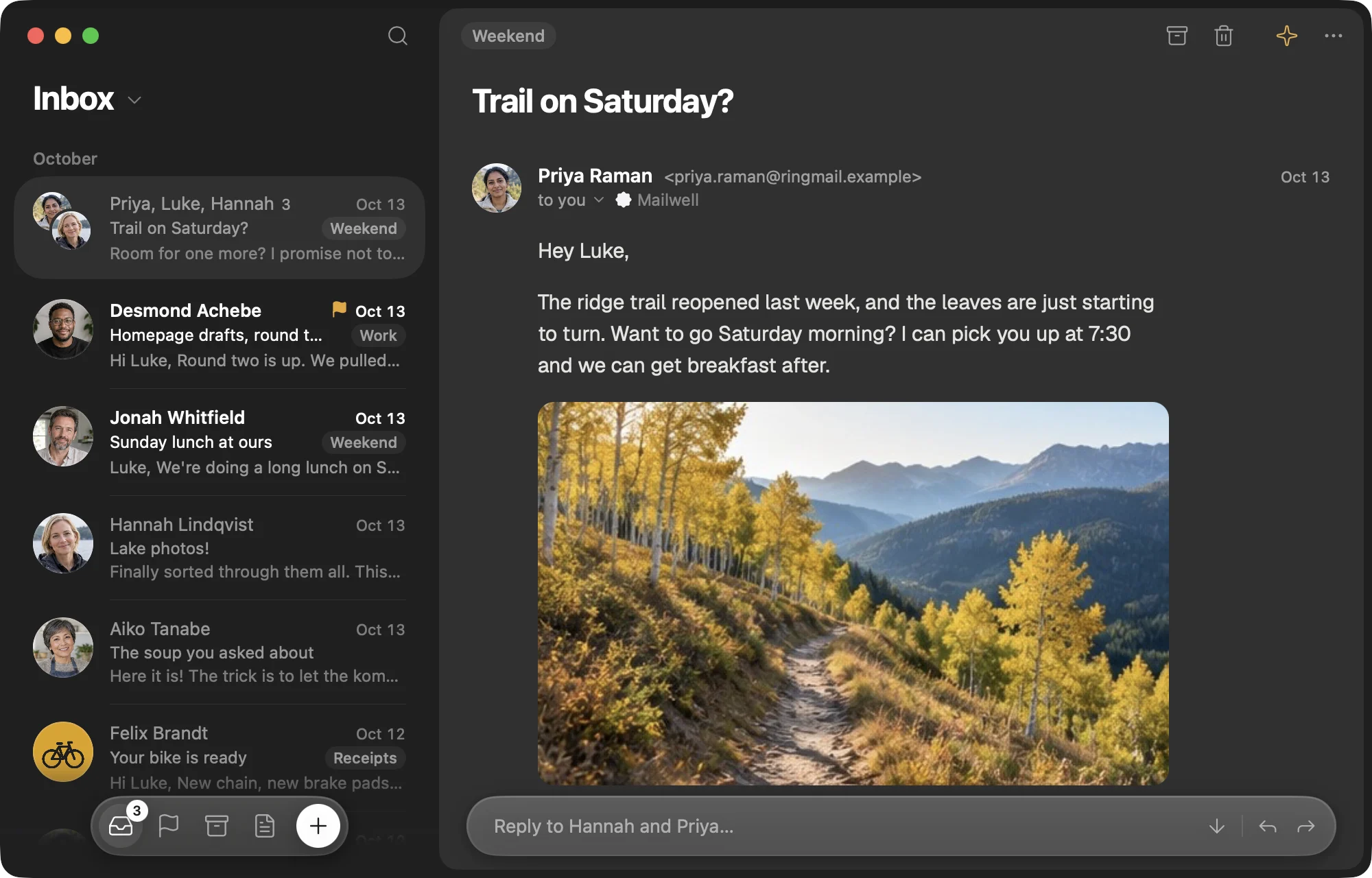
Dark mode got a full pass. The list and the reader each have one tone, and the dock and reply field sit above them like glass.
Some newsletters arrive as a bright white page. Turn on Darken newsletters too in Settings and they follow the rest of the app. If one looks wrong, Show Original Colors puts it back. Any message can be read as plain text too.
Attachments you can see
Attachments are chips with a small preview, two to a row. A PDF sent with the wrong type still opens as a PDF. So do Word, Excel and PowerPoint files that arrive without a proper name.
Smaller things
- Earlier messages in a thread fold into one line each, so the newest one is what you read first.
- A bundle opens to an overview of what’s in it. Trash All and Archive All are right there.
- Settings is one column with plain word tabs, and a lot less text.
- Menus work from the keyboard. Arrow through them and press Return. Command-O opens your places.
- Raw Source is in the View menu, in Command-K and in a message’s details.
- What’s New is one line on a small pill. Click it or close it.
- The main buttons are ink now. Blue is kept for unread mail, links and selection.
- The window opens a little faster.
Get it
Mailwell updates itself, so you may already have 1.2. If not, download it from mailwell.app. It’s free for 14 days. No account, no card.
If something feels off, tell me at hello@mailwell.app. I read everything.
Try Mailwell free for 14 days. No card needed.
Download